Put your notes behind an MCP server without writing a login
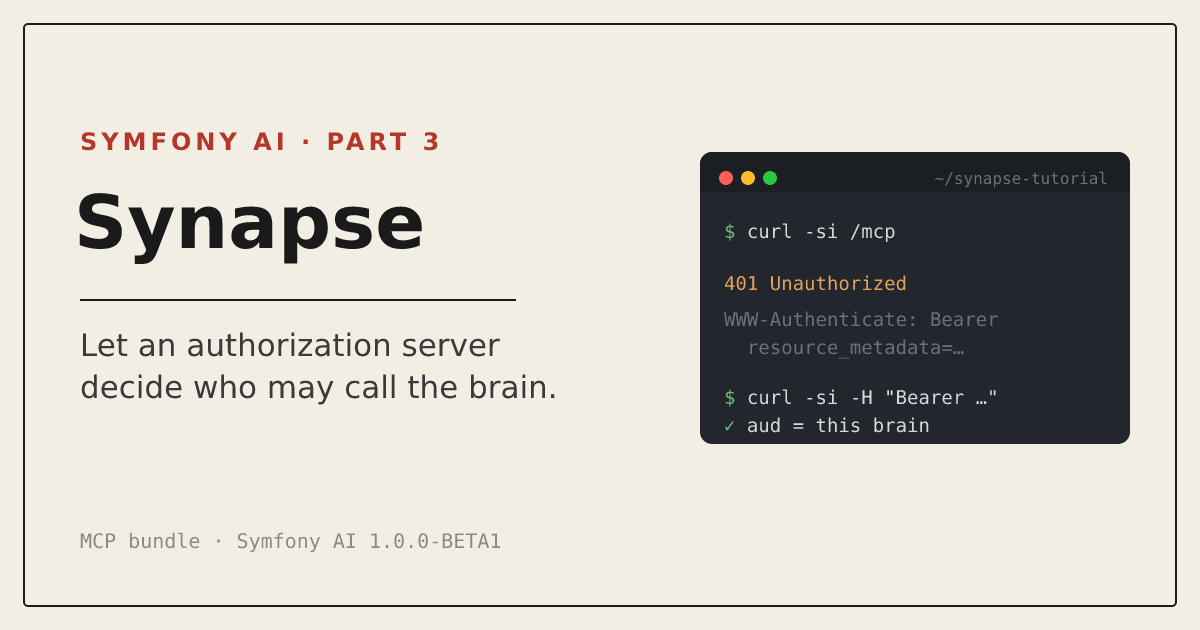
By Johannes Wachter, Sulu core developer and Symfony AI core team member. Part three of a small tutorial series for the Symfony AI hackathon: the brain gets an MCP server, and an authorization server decides who may use it.
After part two the brain could be asked questions, but only from the console of the machine it lives on. Every tool that should reach it, a desktop client or an agent in another project, needs a way in, and MCP is that way in. Who is allowed through that door is the question the rest of this part is actually about.
My first instinct was a token in .env and a hash_equals() in front of the endpoint. That works for this demo, one client on one laptop. What I did not like about it is what it makes the brain responsible for: it has to manage tokens itself instead of asking something else whether a caller is allowed in, and that has nothing to do with notes. The MCP authorization specification takes the same view. An MCP server is an OAuth resource server, which means it checks tokens and never hands them out. This part builds that, and the interesting code turns out to be small.
I am staying at tutorial level. I will not explain OAuth from the ground up, only the four things this implementation has to get right, and what each one looks like in a Symfony application.
What you will have at the end
An endpoint at /mcp that offers the six tools from the first two parts: search, list, read, save to inbox, save to brain and the format description. A client without a token gets a 401 that tells it where to look next. A client with a token gets in only if an external authorization server says the token is active, was issued for this brain and grants it read access. To try it locally the branch ships a fake authorization server of about forty lines. It is a stand-in, and it is not safe to use for anything else.
One limit I want to name now. After this part every token that may enter the MCP endpoint can use every tool, including the ones that write. Telling readers and writers apart is the next part.
Assumptions
Everything from part two, on the branch 03-mcp-server of wachterjohannes/synapse-tutorial. Three more packages:
composer require symfony/mcp-bundle:^1.0@beta symfony/security-bundle nyholm/psr7The last one needs an explanation, and I will give it where it matters.
The tools are the ones you already have
The MCP bundle discovers tools through attributes. I did not want a second copy of the tool logic, so BrainTools is a thin class that injects the tool objects the agents already use and forwards to them:
final class BrainTools
{
    public function __construct(
        private readonly SearchNotes $searchNotes,
        private readonly ListNotes $listNotes,
        private readonly ReadNote $readNote,
        private readonly SaveToInbox $saveToInbox,
        private readonly SaveToBrain $saveToBrain,
        private readonly DescribeFormat $describeFormat,
    ) {
    }

    /**
     * Reads one note by the path list_notes or search_notes shows.
     *
     * @param string $path for example brain/topics/rag-basics.md
     */
    #[McpTool(name: 'read_note')]
    public function readNote(string $path): string
    {
        return ($this->readNote)($path);
    }

    // ...the other five look the same
}
The docblock is not decoration. The SDK reads it: the summary and the text below it become the tool description and the @param lines become the parameter descriptions, which is what a client shows to its model. A path that search_notes returns therefore means the same thing to a remote client as it does to the reader agent, because it is the same code answering. That was the reason for the loader detail in part two.
Why a wrapper at all, when #[McpTool] can sit on the agent tools themselves? It can, I tried it and it works. I kept the separate class for two reasons. The two readers of a tool are different: the description the local model gets says when to reach for the tool, and a remote client needs to know what the call does, so the two texts are not the same. And the MCP side is where decisions about the caller will live. The agents run on the console without a token, the MCP server runs behind the firewall with one, and I would rather have a class that only ever runs behind the firewall be the one that knows about tokens.
The configuration is short:
mcp:
    servers:
        default:
            registry: 'App\Mcp\'
            http:
                path: /mcp
registry restricts discovery to your own namespace, so a tool from some third-party bundle does not end up on a public endpoint by accident. The routes come from resource: . with type: mcp in config/routes/mcp.yaml.
The first request
Leave nyholm/psr7 out and send an initialize request with a perfectly good token, and you get a 500:
No PSR-17 server request factory found. Install a package from this list:
https://packagist.org/providers/psr/http-factory-implementation
The HTTP transport of the MCP SDK works with PSR-7 messages, and Symfony’s own request classes are not that. Nothing in the dependency tree provided a PSR-17 factory, so discovery found none. nyholm/psr7 is a small package that does, and with it installed the same request goes through. I would have liked a clearer failure at install time, and upstream agrees: symfony/ai#2828 by Nicolas Grekas, merged after BETA1, makes the bundle require a PSR-17 implementation, so Composer deals with it when the bundle is installed. With BETA1 the lesson is one line in composer.json.
Who is calling
The implementation below has four jobs: return a 401 when authorization is missing or invalid, tell the client where to find its protected resource metadata, validate the token, and validate that the token was issued for this server. Here is each one.
A 401 that says where to go. A client that arrives without a token should not have to guess. BearerChallenge is the entry point of the firewall and answers with the location of the metadata document (RFC 9728):
$ curl -si -X POST http://127.0.0.1:8080/mcp -H 'Content-Type: application/json' -d '{}'
HTTP/1.1 401 Unauthorized
WWW-Authenticate: Bearer resource_metadata="http://127.0.0.1:8080/.well-known/oauth-protected-resource"

{"error":"unauthorized","error_description":"A bearer token is required."}
The metadata. That URL is a plain controller that names the authorization server:
$ curl -s http://127.0.0.1:8080/.well-known/oauth-protected-resource
{"resource":"http://127.0.0.1:8080/mcp","authorization_servers":["http://127.0.0.1:8081"],"scopes_supported":["brain:read","brain:write"],"bearer_methods_supported":["header"]}
A client follows the header, reads this, goes to the authorization server named here and asks for a token. The brain never talks to the user.
One detail that cost me a moment: the address in the header comes from OAUTH_AUDIENCE, not from the request, so it has to match the address the client used to reach the brain. A client that connected over http://localhost:8080/mcp instead should already reject metadata naming a different resource, since RFC 9728 requires them to match, and a compliant client stops there rather than request a token at all. If a token with the wrong audience reaches the brain anyway, the audience check refuses it there too. The same identity ends up defended in two places.
Asking the authorization server. The tokens are opaque strings, so the brain cannot read them. It asks the server that issued them, with token introspection (RFC 7662). Symfony’s access_token authenticator needs one class for that, an AccessTokenHandlerInterface:
public function getUserBadgeFrom(string $accessToken): UserBadge
{
    try {
        $claims = $this->httpClient->request('POST', $this->introspectionUrl, [
            'auth_basic' => [$this->clientId, $this->clientSecret],
            'body' => ['token' => $accessToken],
        ])->toArray();
    } catch (\Throwable) {
        throw new BadCredentialsException('The authorization server could not check the token.');
    }

    if (true !== ($claims['active'] ?? false)) {
        throw new BadCredentialsException('The token is not active.');
    }

    if (!\in_array($this->audience, (array) ($claims['aud'] ?? []), true)) {
        throw new BadCredentialsException('The token was not issued for this brain.');
    }
    // ...
}
In this tutorial the brain authenticates to the introspection endpoint with its own client id and secret, so the endpoint is not public. If the authorization server cannot be reached, the answer is a refusal and not a pass. That is the safe default, and it also means the brain stops accepting requests when the authorization server is down. I think that is the right trade, but it is a trade.
The firewall wires the handler and the challenge together:
firewalls:
    mcp:
        pattern: ^/mcp
        stateless: true
        provider: brain_users
        entry_point: App\Security\BearerChallenge
        access_token:
            token_handler: App\Security\IntrospectionTokenHandler
            failure_handler: App\Security\BearerChallenge

access_control:
    - { path: ^/mcp, roles: ROLE_BRAIN_READ }
The failure handler is the same class as the entry point. An invalid token also gets the WWW-Authenticate header, with error="invalid_token" added.
The audience. This is the check I find easiest to skip, because everything works without it. A token can be perfectly valid and still be meant for somebody else. If the authorization server serves several brains, or a token for another service leaks, a resource server that only asks “is it active?” accepts all of them. The client says which server the token is for when it asks for it (RFC 8707, the resource parameter), the authorization server writes that into the token as aud, and the brain compares it with its own address. The specification makes this mandatory.
The second half of the handler turns the granted scopes into Symfony roles, brain:read into ROLE_BRAIN_READ. The scopes come from the authorization server and not from anything the client sends, so a client cannot give itself a role. This part uses only the read role to let people in. The next one uses the other.
The fake authorization server
tools/fake-as.php hands out opaque tokens for two clients, reader and admin, and binds each token to the resource it was asked for. Start it next to the brain:
php -S 127.0.0.1:8081 tools/fake-as.php &
php -d variables_order=EGPCS -S 127.0.0.1:8080 -t public public/index.php
The defaults in .env match these two ports, so the command works as it is. The variables_order flag only matters once you override a value, for example OAUTH_AUDIENCE to use another port: the built-in server passes environment variables on only when variables_order contains E, and without it your override is silently ignored.
Please do not run this in front of anything real. It keeps its tokens in a temporary file, has fixed secrets, no consent screen, tokens that simply last an hour, and no HTTPS. The HTTP URLs here are a development shortcut; a real authorization server deployment needs HTTPS.
Using a real authorization server
For a real authorization server compatible with this handler, the environment variables are enough: it needs token introspection, support for the resource parameter, and an introspection response with the claims this handler expects. Point OAUTH_INTROSPECTION_URL, OAUTH_ISSUER, OAUTH_RESOURCE_CLIENT_ID, OAUTH_RESOURCE_CLIENT_SECRET and OAUTH_AUDIENCE at it, with OAUTH_AUDIENCE set to the address of the brain: the audience check, the metadata and the 401 header all hang on that value. I have not run the branch against a real server, so check its documentation against what this handler expects: active as a boolean, aud matching OAUTH_AUDIENCE, and scope as a single space-separated string. If the authorization server issues JWTs instead, a handler that validates them locally against its published keys skips the round trip; the audience check stays the same. I kept the fake server for this tutorial because it needs no account and no network, and every command here can be copied and run.
Verify it
A token for the brain, requested the way an MCP client does it:
$ curl -s -X POST http://127.0.0.1:8081/token -d client_id=reader -d client_secret=reader-secret -d resource=http://127.0.0.1:8080/mcp
{"access_token":"44eb65949a161ddac175841ca1bdd330","token_type":"Bearer","expires_in":3600,"scope":"brain:read"}
With that token, a tools/list call returns the six tools, and list_notes returns the paths of the notes:
['search_notes', 'list_notes', 'read_note', 'save_to_inbox', 'describe_format', 'save_to_brain']A search_notes call asking how to protect an MCP server returns, as its first passage, the decision note that ships with the branch and says the MCP server should not run its own login. It is the expected match, and a small proof that the same retriever from part two answers through the new door.
Now the cases that should fail. A token the authorization server has never seen:
$ curl -s -o /dev/null -w '%{http_code}' -X POST http://127.0.0.1:8080/mcp -H 'Authorization: Bearer nonsense' ...
401
And the one that matters more: a perfectly valid token that was issued for another brain.
$ curl -s -X POST http://127.0.0.1:8081/token -d client_id=reader -d client_secret=reader-secret -d resource=http://127.0.0.1:1/other/mcp
$ curl -si -X POST http://127.0.0.1:8080/mcp -H 'Authorization: Bearer <that token>' ...
HTTP/1.1 401 Unauthorized
WWW-Authenticate: Bearer resource_metadata="http://127.0.0.1:8080/.well-known/oauth-protected-resource", error="invalid_token"

{"error":"invalid_token","error_description":"The token is not valid for this brain."}
The authorization server calls that token active. The brain refuses it. The branch’s bin/smoke runs the same checks, and it does not need a Cohere key for them.
Where this stops
Here is the limit I announced. With the token of the reader client, a save_to_inbox call works:
{"result":{"content":[{"type":"text","text":"Saved inbox\/2026-11-02-from-reader.md"}],"isError":false}}The raw JSON response escapes the slash as \/. The decoded text reads Saved inbox/2026-11-02-from-reader.md, and I show the decoded text from here on.
The token was issued with the scope brain:read only. The brain turned that into ROLE_BRAIN_READ and correctly used it to decide whether the client may enter the MCP endpoint. What it did not do was use that role again when a particular tool was called. Once inside, save_to_inbox was available just like read_note. Reading and writing are different kinds of trust, and the next part deals with that.
Two smaller things. The brain asks the authorization server about every request, which costs a round trip each time. Caching the answer for a short while is the usual remedy, at the price of a revoked token staying valid until the cache expires, and I left it out because that price is a decision for whoever runs the server. And nothing here protects the brain from what is in the notes. A note can still contain text that talks to the model, and no token check stops that. Authorization decides who may call the tools. It says nothing about what the tools return.